
Free Online Video Maker
Build a video scene by scene from text, shapes, photos and your own clips, add music from the free library or your own files, animate elements, and download an MP4. Landscape 1920 × 1080 or vertical 1080 × 1920.
Start without signing up. Downloading needs a free account.
Everything a video needs
Pick a video size and the editor gets a timeline: scenes, timing for every element, your own clips and music. Text, effects, shapes and pictures all work in a scene.
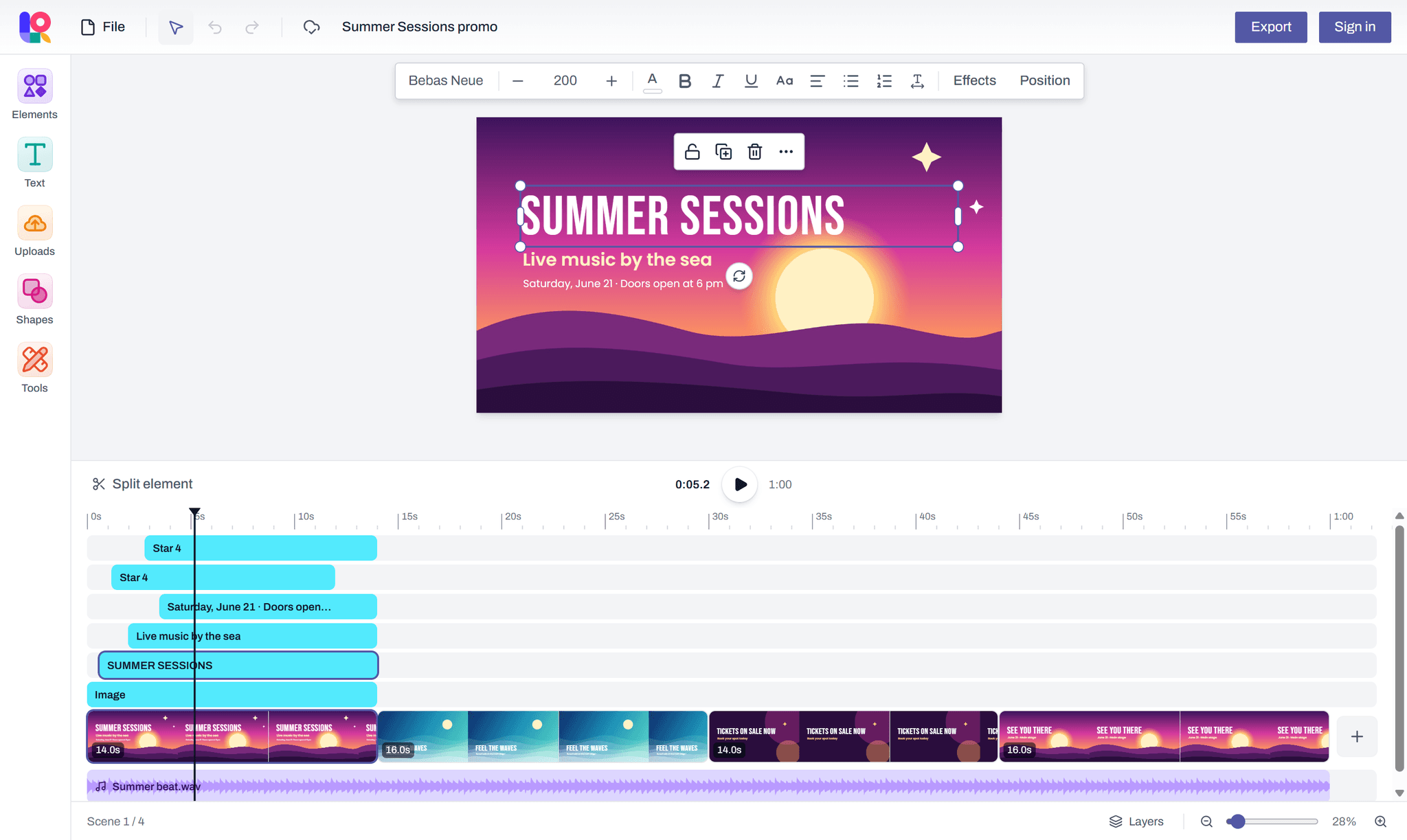
Scenes on a timeline
Each scene has its own length. Drag scenes into order, stretch or shorten them, duplicate them, and play the whole video in the editor.
Timing for every element
Drag an element's bar on the timeline to choose when it appears and when it goes: a heading first, a picture after.
Your own video clips
Add clips from your device, trim them from either end and set their volume, or mute them.
Music and sound
Audio tracks that play on across scenes, each with its own volume and a fade in and out.
Split at the playhead
Press S to cut a clip, an element or a scene in two exactly where the playhead is.
MP4 download
Full HD at 30 frames a second, made in your browser, so your video is never uploaded to be rendered. Downloading needs a free account.
How it works
From a blank page to a finished file in three steps.
- 1
Pick a size
A4, Letter, a presentation slide, a social post, a video, or your own dimensions.
- 2
Design
Add text, shapes, images and tables, or scenes, clips and music for a video. Your work is saved in your browser as you go.
- 3
Export
Sign in with a free account to download a PDF, PNG, JPEG or MP4, or to print.
Questions and answers
What people ask before they start.
Can I make videos?
Yes. Pick Video (1920 × 1080) or Mobile video (1080 × 1920) and the editor adds a timeline: scenes with their own length, timing for each element, your own video clips and music. Download it as an MP4 with a free account. The video is made in your browser, so it needs a recent one; if yours can't, the editor tells you.
Is there a watermark?
No. Your MP4 has no watermark, and neither does any PDF, PNG or JPEG you download.
Where are my video clips kept?
In the browser you added them in. A video design is saved and synced to your account like any other, but its video and audio files stay on that device, so on another one the clips show as missing.
Is Layquil free?
Yes, every feature is free. You can start designing without an account; downloading and printing need a free account, which you create by signing in with Google.