
One canvas for everything you create
Layquil is a free online design maker. Create documents, resumes, flyers, posters, social posts and videos in your browser, then download them with a free account.
Your designs are saved in this browser as you work.
Or start from a size
Everything a document needs
The tools to lay a page out, the type to make it read well, and the image editing to finish it.
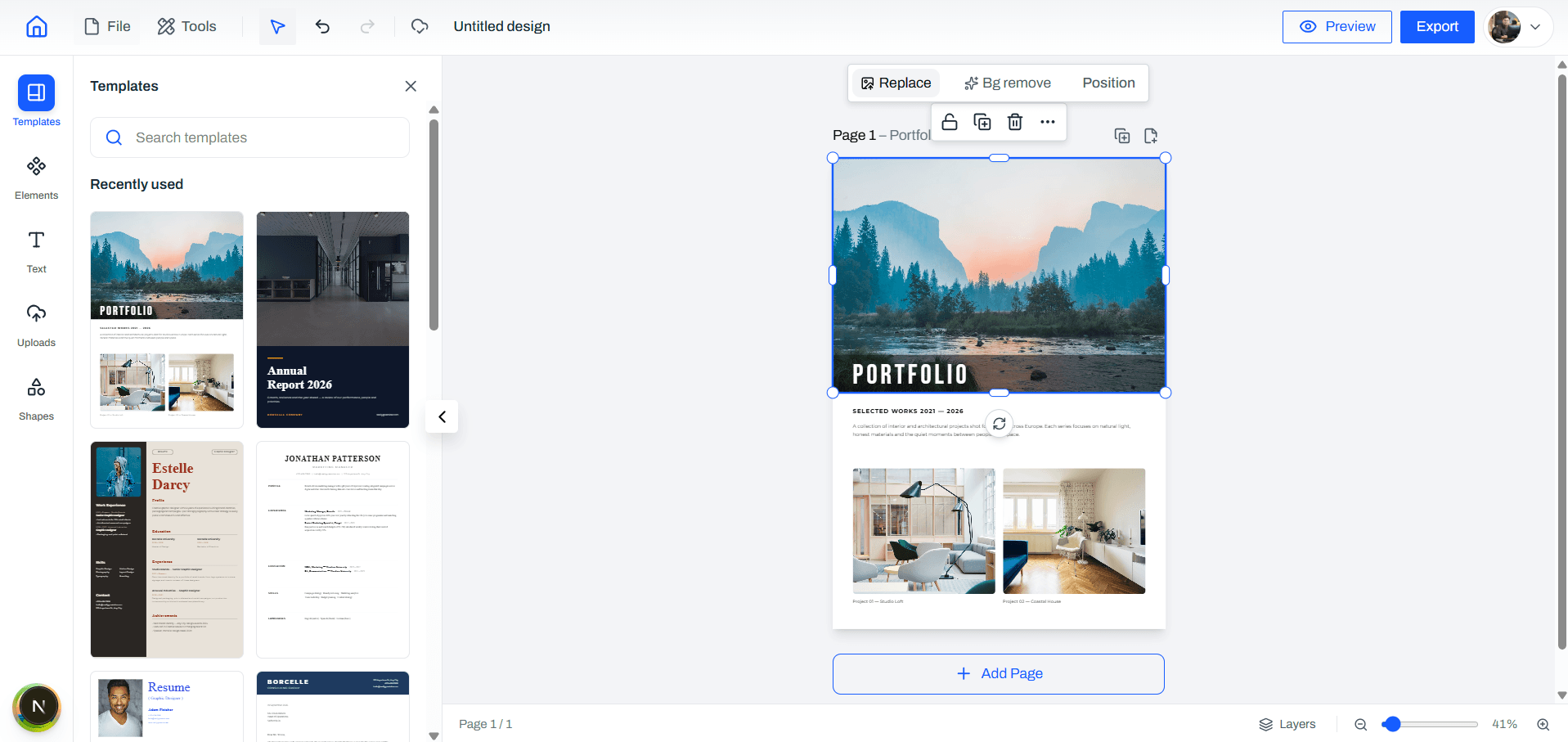
Layout
Put pages, pictures and shapes exactly where you want them.
Multi-page canvas
Multi-page documents with drag, resize, rotate, grouping, layers and smart guides that snap things into line.
Templates to start from
Presentations, social posts and stories, flyers, posters, invitations, certificates, menus, resumes and more. Pick one, replace the words and make it yours.
Shapes, lines and tables
Arrows, banners, speech bubbles, flowchart shapes and more, plus tables in ready-made styles.
Text
Type that reads well, with effects when you want them.
Rich text, 480+ fonts
Headings, lists, tables and links, in hundreds of font families with every weight they publish.
Text and shape effects
Shadows, glows, outlines, echoes, neon and more. One click to apply, sliders to tune.
Write in your language
Bangla, Hindi, Tamil, Thai, Cyrillic, Greek and Vietnamese render correctly on the canvas and in the PDF.
Images
Edit your pictures right on the page.
Background removal and Magic Layers
Cut the background out of a picture, or split it into subject and background layers. It runs in your browser on a desktop or laptop, so no picture is sent off to be processed.
Filters, adjustments and shadows
Dozens of filters, sliders for brightness, contrast, temperature, sharpness and vignette, and glow, drop or outline shadows.
Frames and blending
Drop a picture into a shaped frame, then pan and zoom to crop it. Blend two pictures into one with 16 blend modes.
Your files
Saved as you work, downloaded when you are ready.
PDF, PNG and JPEG export
Download a crisp PDF, PNG or JPEG, or print directly. What you designed is what you get.
Saved as you work
Every change is saved in your browser automatically. Sign in and your designs sync to your account, ready on another device.
Built for speed
Undo and redo, keyboard shortcuts for the common moves, a layers panel and a full-page preview.
Make videos, too
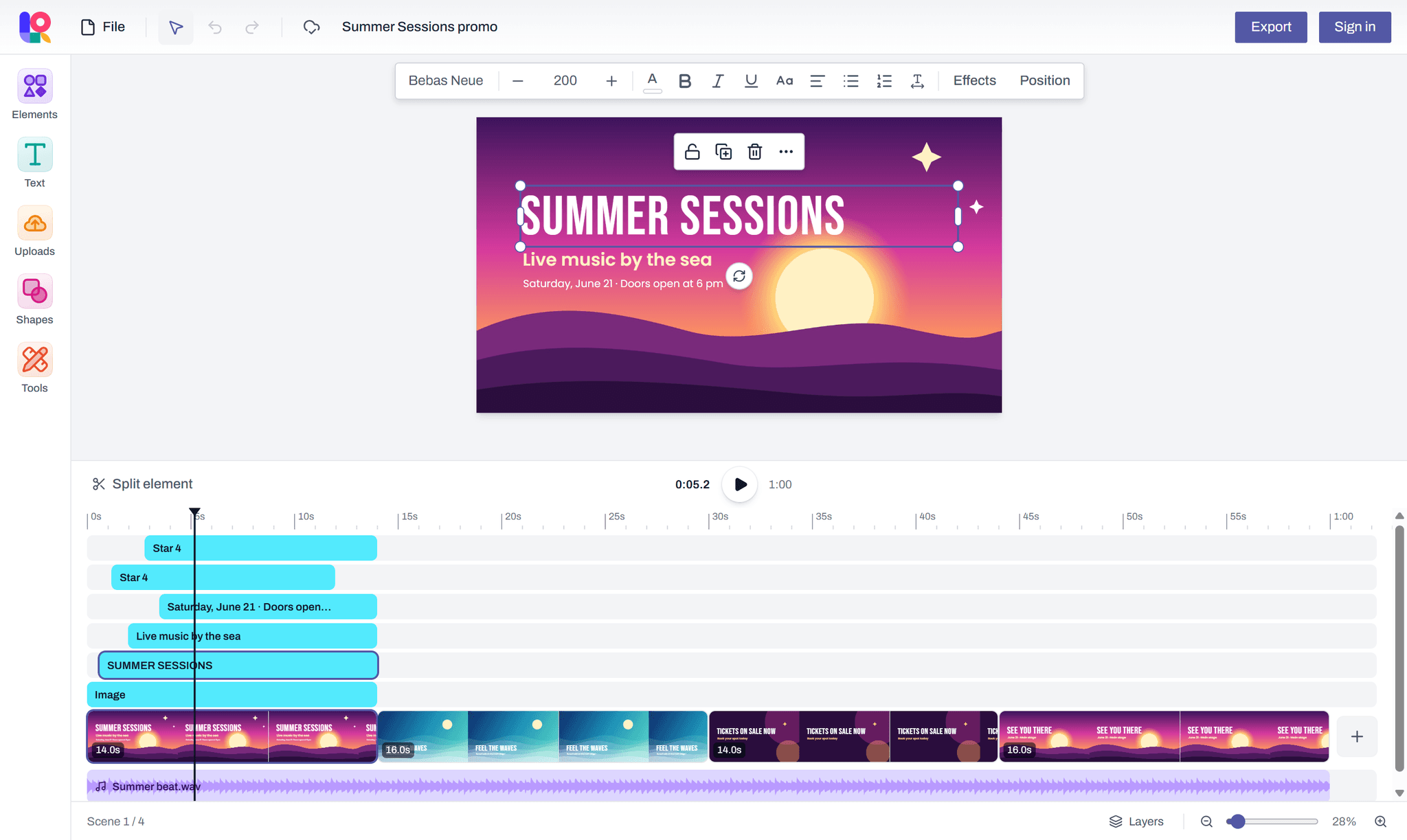
Pick a video size and the editor gets a timeline: scenes, timing for every element, your own clips and music. Text, effects, shapes and pictures all work in a scene.
Scenes on a timeline
Each scene has its own length. Drag scenes into order, stretch or shorten them, duplicate them, and play the whole video in the editor.
Timing for every element
Drag an element's bar on the timeline to choose when it appears and when it goes: a heading first, a picture after.
Your own video clips
Add clips from your device, trim them from either end and set their volume, or mute them.
Music and sound
Audio tracks that play on across scenes, each with its own volume and a fade in and out.
Split at the playhead
Press S to cut a clip, an element or a scene in two exactly where the playhead is.
MP4 download
Full HD at 30 frames a second, made in your browser, so your video is never uploaded to be rendered. Downloading needs a free account.
1920 × 1080 or 1080 × 1920. Start as a guest; downloading the MP4 needs a free account.
Brainstorm on a whiteboard
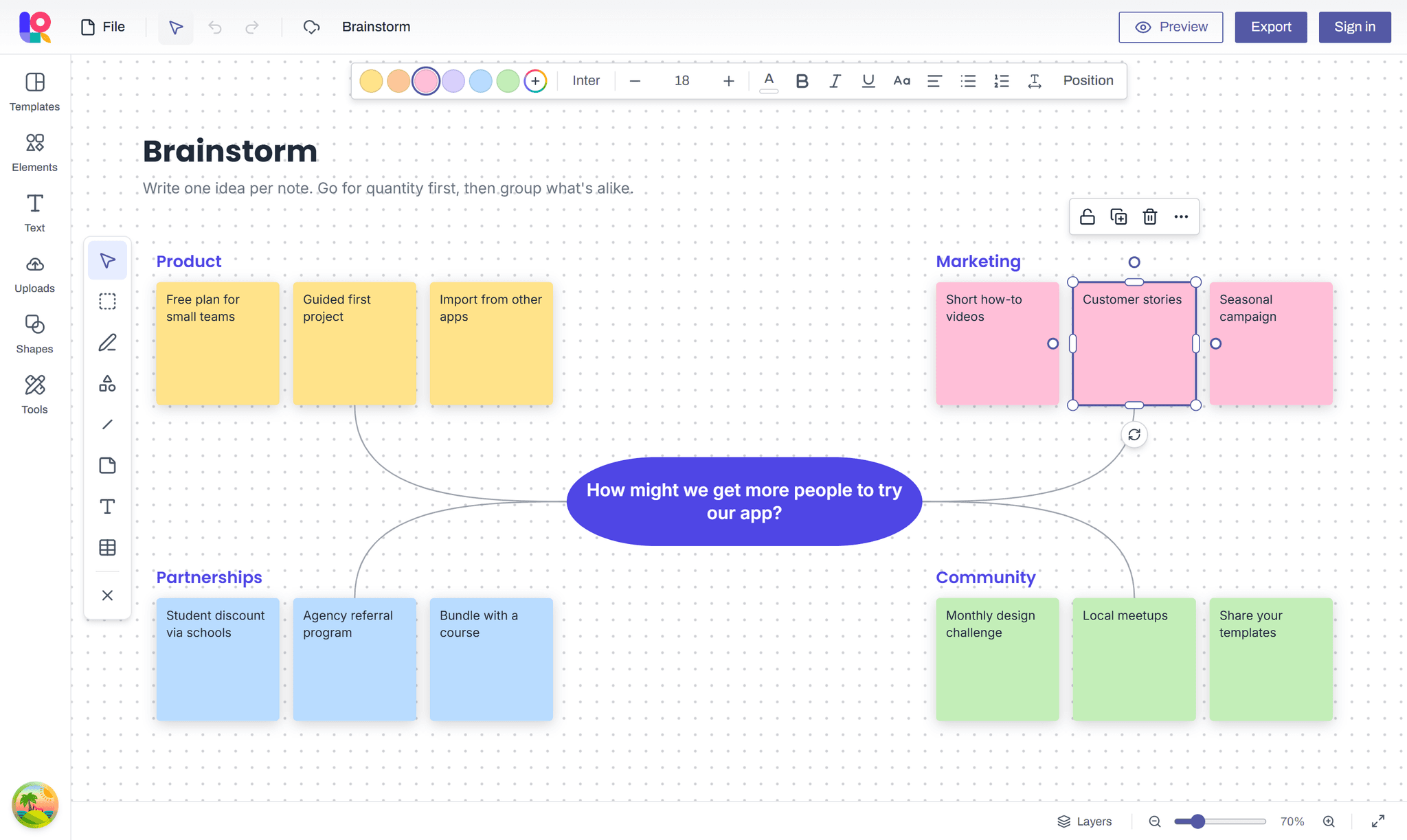
Pick Whiteboard and you get one board far bigger than your screen, with sticky notes, sections, connectors and shapes that hold text. Map out ideas, plan a project or draw a flowchart.
Sticky notes
Six colours, or any other. Press N to drop a note in the middle of the view and start typing from its top left.
Sections
Titled areas for grouping ideas. Drop a note onto a section and it moves with it.
Connectors and arrows
Straight, curved or elbow lines that stay attached to shapes and notes as you move them, with an arrowhead at either end.
Text inside shapes
Write in any shape, from a flowchart box to a diamond or a speech bubble. Longer text shrinks to fit.
Draw freehand
Sketch and circle things with a pen, a marker or a highlighter, right on the board.
15 whiteboard templates
Brainstorm, mind map, kanban, retro, SWOT, flowchart, org chart and more. Add one to the board you are on, or start a new board from it.
Start as a guest; downloading needs a free account.
How it works
From a blank page to a finished file in three steps.
- 1
Pick a size
A4, Letter, a presentation slide, a social post, a video, a whiteboard, or your own dimensions.
- 2
Design
Add text, shapes, images and tables, scenes, clips and music for a video, or sticky notes and connectors on a whiteboard. Your work is saved in your browser as you go.
- 3
Export
Sign in with a free account to download a PDF, PNG, JPEG or MP4, or to print.
What you can make
Documents to print or send, graphics to post and videos to share. Each one starts from a ready-made size or template.
Resumes and CVs
Start from a resume template or a blank A4 or Letter page, set it in the font you like and download a PDF.
Reports and letters
Multi-page documents with headings, lists and tables, from a report cover or business letter template. The PDF matches the screen.
Flyers and posters
Start from a flyer or poster template, or an A5, A3 or custom page, with shapes, frames, text effects and photo filters. Print or download.
Social media posts
Square 1080 × 1080 posts and 1080 × 1920 stories, from a template or a blank page, downloaded as PNG or JPEG images.
Presentations
16:9 slides at 1920 × 1080 from a ready-made deck or a blank slide, presented full screen or downloaded as a single PDF.
Portfolios
Start from a portfolio template, drop photos into shaped frames and crop them in place, page by page.
Promo and explainer videos
1920 × 1080 videos built scene by scene from text, shapes and your own clips, with music, downloaded as an MP4.
Vertical videos
1080 × 1920 videos for phone screens, each element timed on the timeline, downloaded as an MP4.
Photo slideshows
A picture on each scene for as long as you like, a music track that fades in and out, and one MP4 to share.
Brainstorms and workshops
Sticky notes on one big whiteboard, grouped into sections, from a brainstorm, affinity map or retro template.
Project planning
Kanban boards, roadmaps and weekly plans on a whiteboard, with a note for each task to move along.
Flowcharts and org charts
Boxes, diamonds and cards joined by connectors that stay attached as you rearrange them.
Start from a size
Pick one and you are in the editor, or set your own width and height.
Docs & presentations
Social media
Videos
Questions and answers
What people ask before they start.
What is Layquil?
Layquil is a free online document and design maker. You make documents, resumes, presentations, flyers, posters, social media posts and videos in your browser, from a template or a blank page, and download them as PDF, PNG, JPEG or MP4 with a free account.
Is Layquil free?
Yes, every feature is free. You can start designing without an account; downloading and printing need a free account, which you create by signing in with Google.
Why do I need an account to download or print?
You can create and edit designs as a guest. Downloading and printing need a free account, and a design you made as a guest is added to your account when you sign in.
Where are my designs saved?
Every design is saved automatically in this browser as you work, so the editor keeps working offline. While you are signed in, your designs are also copied to your account.
Can I open my designs on another device?
Yes. Sign in with the same account and your designs appear under My designs. A design is downloaded the first time you open it on that device.
Which formats can I download?
PDF, PNG and JPEG, plus WebP in browsers that can make it, from the Export button or File → Download in the editor. A design with several pages downloads its image pages as one ZIP file. A video design also downloads as an MP4.
Can I make videos?
Yes. Pick Video (1920 × 1080) or Mobile video (1080 × 1920) and the editor adds a timeline: scenes with their own length, timing for each element, your own video clips and music. Download it as an MP4 with a free account. The video is made in your browser, so it needs a recent one; if yours can't, the editor tells you.
Where are my video clips kept?
In the browser you added them in. A video design is saved and synced to your account like any other, but its video and audio files stay on that device, so on another one the clips show as missing.
Can I use it as a whiteboard?
Yes. Pick Whiteboard and you get one board far bigger than your screen, with sticky notes, sections, connectors, shapes that hold text and freehand drawing. Start from a whiteboard template or a blank board, and download what is on it as a PDF, PNG or JPEG with a free account. One person edits a board at a time.
Which languages can I type in?
Latin-script languages, Vietnamese, Cyrillic, Greek, Bangla, Hindi (Devanagari), Tamil and Thai. Arabic, Hebrew, Chinese, Japanese and Korean are not supported in downloads yet.
Does background removal upload my photos?
No. It runs in your browser, on a desktop or laptop, so your photo is not sent anywhere to be processed. The first run downloads the model (about 100 to 200 MB) once, and your browser keeps it for next time.