
Before the session: write the question
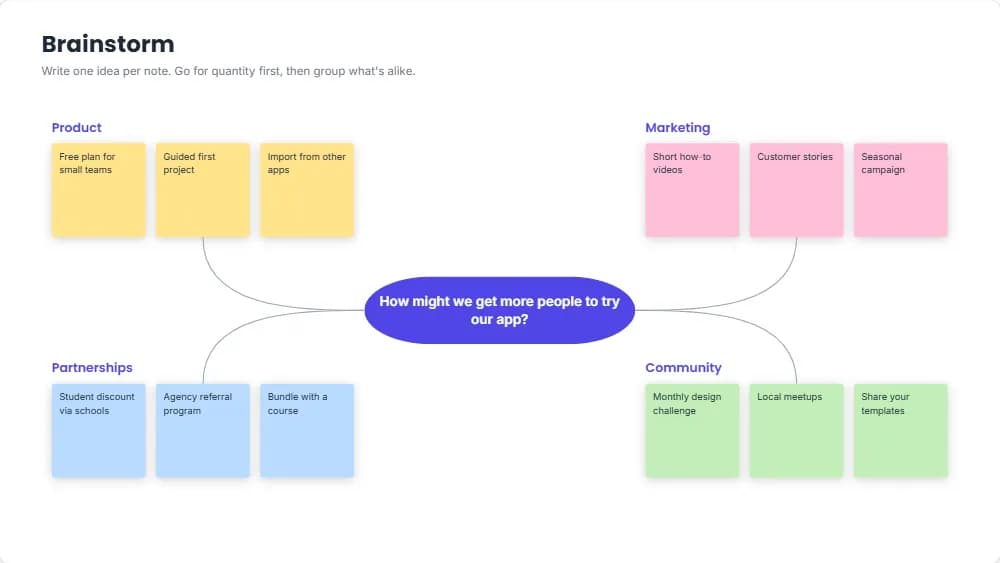
The most useful thing you can do before a brainstorm is write the question it will answer. A vague topic ("marketing ideas") produces vague notes. A specific question produces ideas you can act on.
Many teams phrase it as "How might we…?", which invites possibilities without assuming an answer:
"Onboarding" → "How might we help new customers get value in their first week?"
"The summer fair" → "How might we double the number of families at this year's fair?"
"Office space" → "How might we make the shared kitchen easier to keep tidy?"
Write the question at the top of the board, large, where everyone can see it throughout. Decide how long the session will run (45 to 60 minutes suits most topics) and who should be there: enough people for variety, few enough that everyone speaks. Five to eight is a comfortable number.
Agree the ground rules
Take one minute at the start to agree how the idea phase works. The classic rules still hold:
- Quantity first. Aim for many ideas; judging comes later.
- No criticism yet. "That won't work" ends ideas before they're explored.
- Build on each other. "Yes, and…" turns half an idea into a good one.
- One idea per note, in a few words, so notes can be moved and grouped.
- Wild ideas are welcome. They often lead somewhere practical.
Start with silent idea time
Open discussion tends to follow whoever speaks first and loudest. A few minutes of silent writing first gives everyone the same chance. Each person writes as many ideas as they can on their own notes, one idea per note, for five to ten minutes. This is sometimes called brainwriting.
Then go round the group: each person reads out their notes briefly and adds them to the board. Others can add new notes as ideas spark, but there is still no debate.
Group the notes into themes
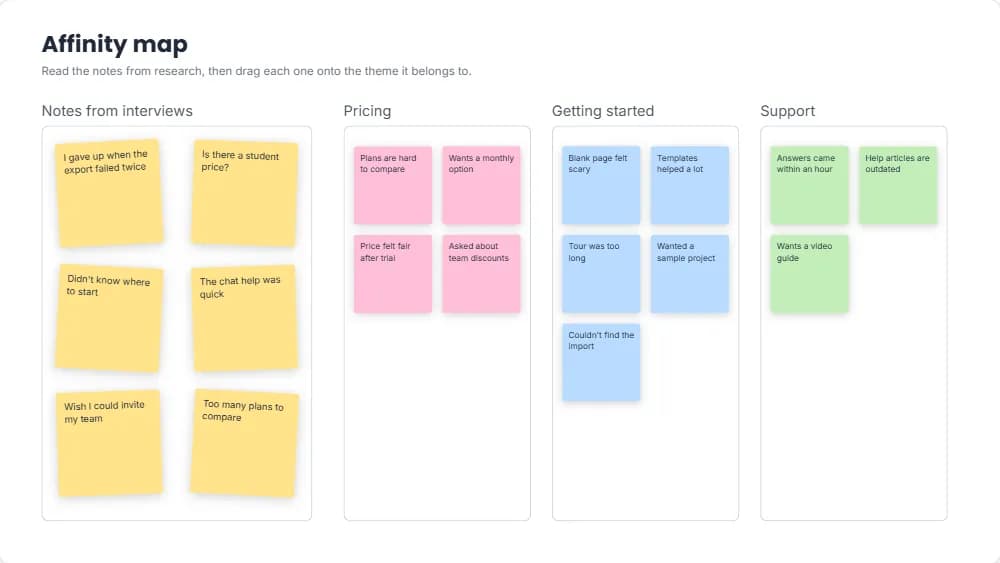
Once the ideas are up, move similar notes next to each other. This is called affinity mapping. Don't decide the groups in advance; let them emerge from the notes. Duplicates go on top of each other, which also shows which ideas came up most.
When the groups settle, give each one a short title that sums it up: "Better welcome emails", "Partner with schools", "Simpler sign-up". A theme title is often more useful than any single note in it, because it names the opportunity.
Vote
Dot voting is a quick, fair way to see where the group's energy is. Give everyone a fixed number of votes (three to five works well) and let them mark the ideas or themes they think are most promising. They may put more than one vote on the same idea. Count the dots, and the shortlist makes itself.
Be clear about what people are voting for: the idea with the most impact, the one to try first, or simply the one they like best. Different questions give different winners.
Prioritise the shortlist
A vote shows enthusiasm; it doesn't show effort. Place the shortlisted ideas on a simple two-by-two grid to see what's worth doing first:
| Low effort | High effort | |
|---|---|---|
| High impact | Quick wins: do these first | Big bets: plan them properly |
| Low impact | Fill-ins: do if there's time | Money pits: drop them |
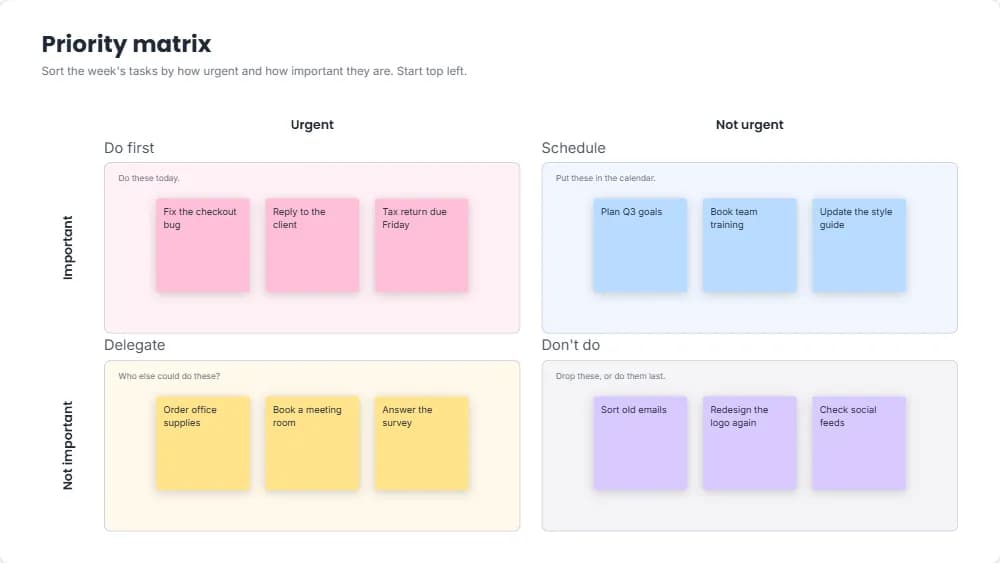
An urgent and important matrix (often called an Eisenhower matrix) works the same way for tasks rather than ideas: do first, schedule, delegate, or don't do.
End with actions and owners
A brainstorm that ends with a board full of notes and no actions is the most common disappointment. In the last ten minutes, make an Actions section and fill it with the next steps, each with a name and a date next to it. Keep the first actions small: "Draft three welcome email ideas by Friday" is easier to start than "Fix onboarding".
Facilitating: keeping it moving
The facilitator's job is to protect the process, not to supply the best ideas. A few habits keep a session on track:
- Time-box every stage and say the time out loud: "Five more minutes of ideas."
- Keep a "parking" area on the board for good points that are off-topic, so they're captured without derailing the session.
- Invite quieter people by name during sharing, and ask for their notes first.
- Steer debate back to the stage you're in. Arguments about whether an idea will work belong to voting and prioritising, not to idea time.
Common pitfalls
- The boss speaks first, and everyone follows. Silent idea time prevents this.
- Notes that are paragraphs. Long notes can't be grouped; ask for a few words each.
- Too many themes. If you have more than eight groups, some are probably the same idea in different words.
- No owner for the actions. An action without a name next to it rarely happens.
Running it with a remote team
For people in different places, one facilitator usually drives the board while sharing their screen in a video call. Participants call out or type their ideas in the chat, and the facilitator adds them as notes. For silent idea time, ask everyone to write their ideas in a shared document or the chat for a few minutes, then add them to the board together.
Afterwards, send everyone a copy of the board, with the actions highlighted, so the decisions are on record.
Other board layouts worth knowing
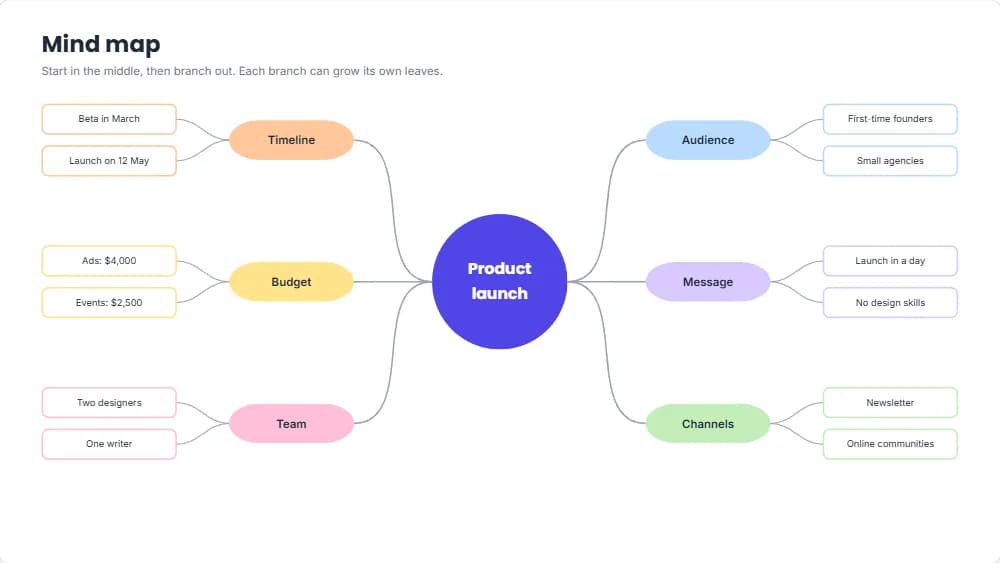
- Mind map: a central topic with branches, for exploring a subject or planning a project.
- Affinity map: notes from research grouped into themes, for turning feedback into insights.
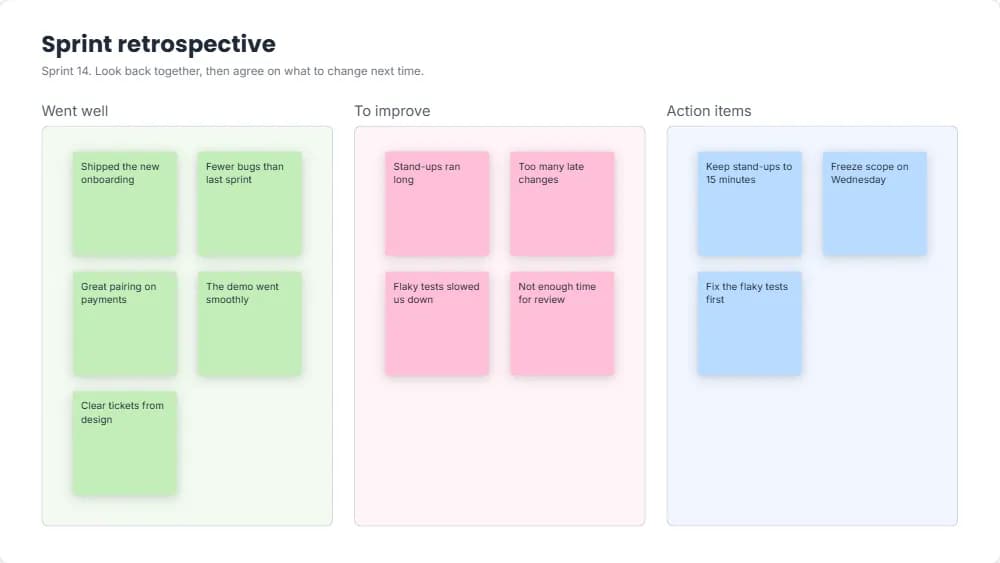
- Retrospective: what went well, what to improve and actions, for teams looking back on a project.
- SWOT analysis: strengths, weaknesses, opportunities and threats.
- Priority matrix: urgent and important tasks in four quadrants.
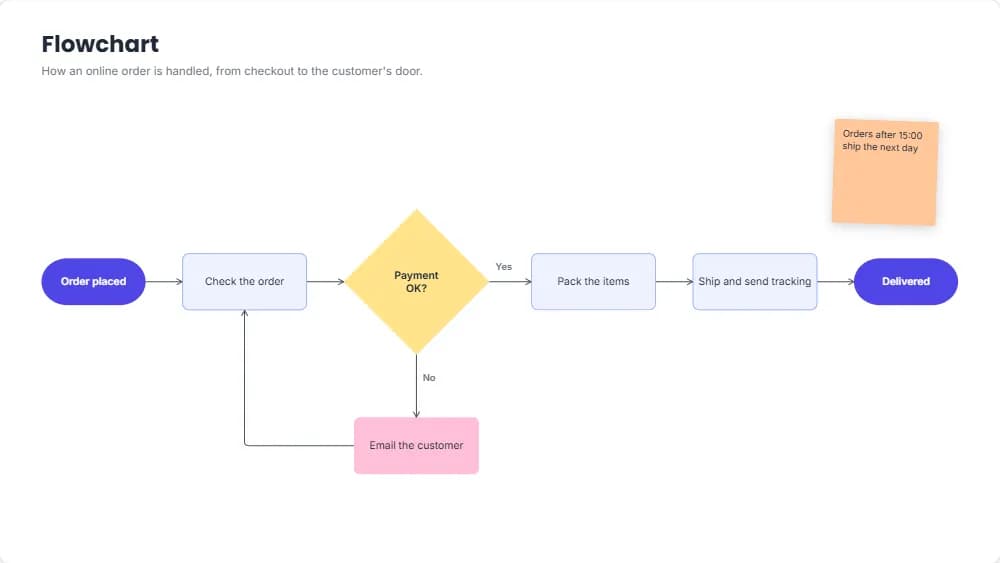
- Flowchart: the steps of a process, with its decisions, for mapping how something works today before improving it.
Run your brainstorm in Layquil
Start a blank board from the whiteboard maker, or open the brainstorm template. Press N for a sticky note or T for text, pick note colours from the toolbar, and add a section to gather a theme: notes dropped on a section move with it. Press L to draw connectors between ideas, or D to draw, which is handy for voting dots.
One person edits a board at a time, so for a group session the facilitator works on the board while sharing their screen. Your board is saved in your browser as you work, and in your account when you are signed in. With a free account, download everything on the board as one PDF page, PNG or JPEG to send round afterwards.